CRM Integration
Zoho CRM- WooCommerce
An easy onboarding, Zoho certified, complete integration. Try it now, cancel anytime.
-
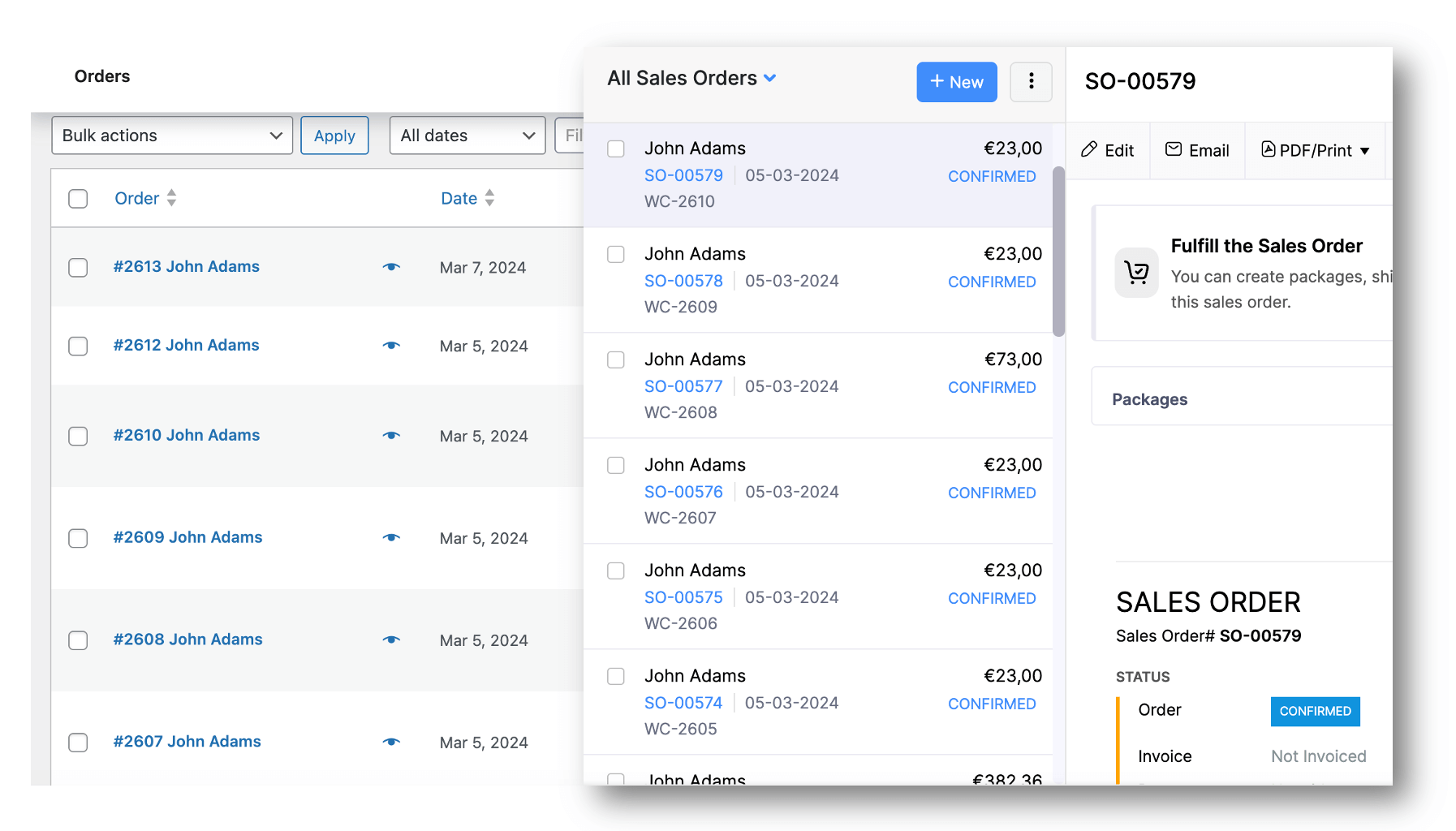
Automatic Order sync in real-time as Order or Deal
-
Map custom fields of Contacts, Orders & Products
-
Sync historical Orders to Zoho CRM in background
-
Import all Products in background to WooCommerce
-
99.99%
Uptime of service
-
120k+
Orders synced per year
Easy setup
Connect. Sync. Go.
Configure Quick Settings as Tax Rates, Fields, Orders and much more in a hassle free way!
“CommerceBird allowed us to really focus on scaling as they took care of financial data automation.“
Mischa Kremer, Perfecthealth.nl

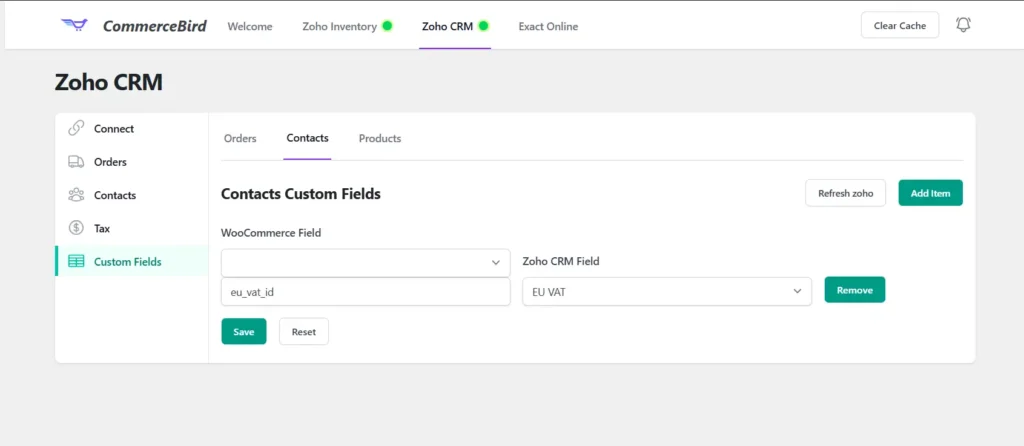
Map any custom field
Easily map any custom field of Orders, Contacts and Products from WooCommerce to Zoho. Automate and scale your e-commerce business without a hassle!
Compare Plans for Zoho CRM WooCommerce
| Features | Business | Premium | Enterprise |
|---|---|---|---|
|
Customer Sync
Automatic & Bulk
|
|
|
|
|
Products Sync
Import & Export in background
|
|
|
|
|
Orders Sync
Automatic & Bulk
|
|
|
|
|
Custom Fields Mapping
Orders, Contacts & Products
|
|
|
|
|
Layout Selection
Orders & Contacts
|
|
|
|
|
Real-time Sync Zoho to WooCommerce
Coming Soon
|
|
|
|
|
Sync CPT as Custom Module
Coming Soon
|
|
|
|
|
Other API Sources
SAP, MS Dynamics, other ERP
|
|
|
|
|
Custom SLA
Dedicated Account Manager
|
|
|
|

Let’s See How it Works
Easily connect your WooCommerce store in less than 5 minutes!
STEP 3
Download our Plugin
Download the CommerceBird plugin from the WordPress Directory via your WP Admin > Plugins > Add New. Search for “commercebird”.
STEP 4
Connect to Zoho CRM
Via the Plugin Settings > Zoho CRM, you can connect to your account. After this, simply follow the documentation steps.