
Zoho CRM Integration
Zoho CRM Integration
View on Zoho MarketplaceSync WooCommerce orders and contacts straight into Zoho CRM
Every contact, order, and custom field stays perfectly in sync between WooCommerce and Zoho CRM — matched automatically, mapped your way, with zero manual data entry.
2-way
Real-time sync
Custom
Field mapping
0
Manual double entry


Everything in sync
Everything syncs. Nothing duplicates.
Sync Contacts
Add your entire customer base to Zoho CRM as Contacts, including any custom fields you track. New contacts sync automatically and are matched to existing records by email address.
Sync Orders as Deals or Sales Orders
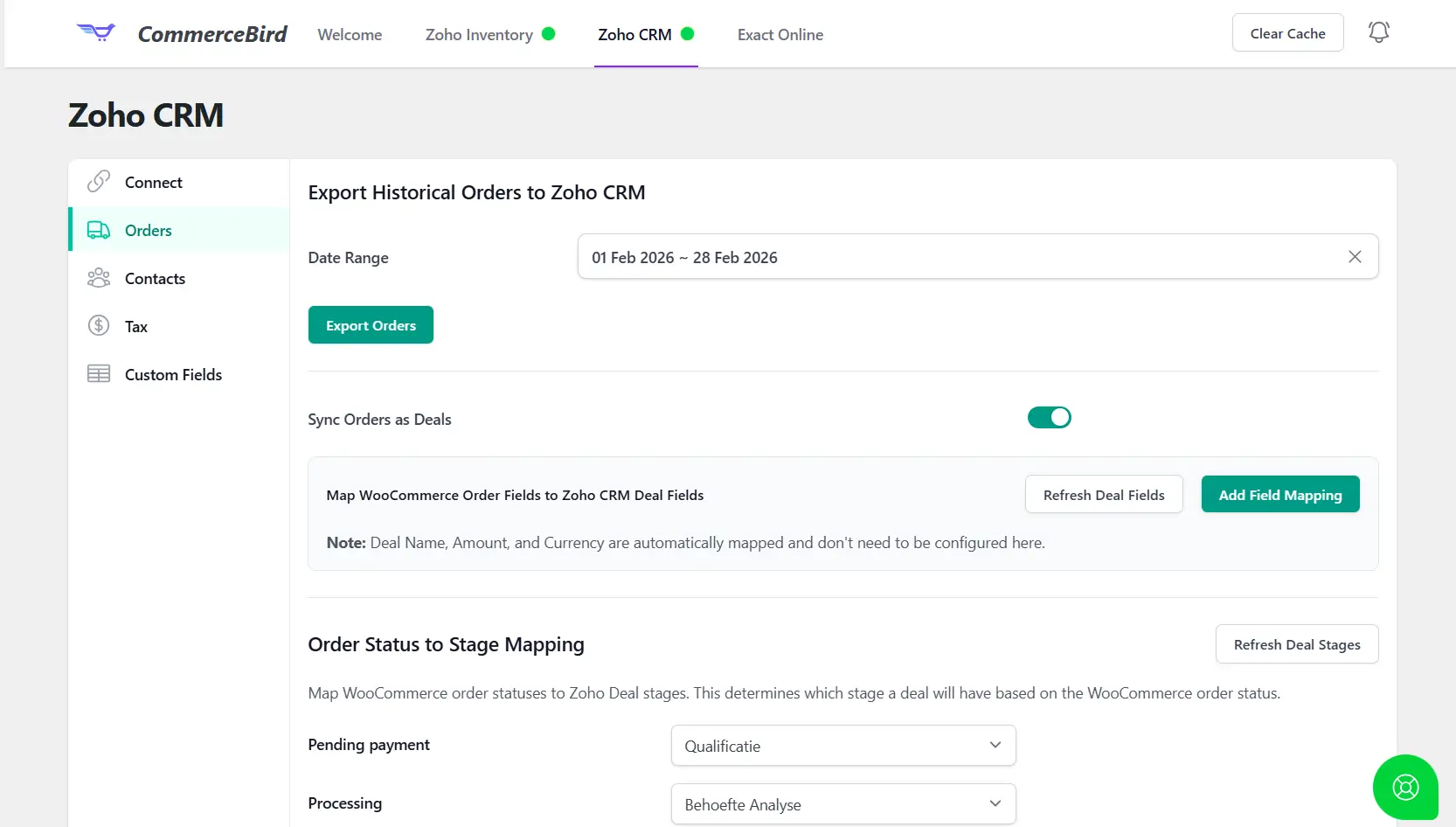
Every WooCommerce order syncs to Zoho CRM as a Deal or a Sales Order — your choice — so your sales team sees revenue activity without leaving Zoho.
Map Deal Stages with Order Statuses
Connect WooCommerce order statuses to Zoho CRM deal stages, so a Deal automatically moves through your pipeline as an order is processed, shipped, or completed.
Map Tax Rates
Map your WooCommerce tax rates to the correct fields in Zoho CRM, so every synced deal or sales order reflects accurate, region-specific tax amounts.
Map Product and Order Custom Fields
Sync any custom field on your products and orders between WooCommerce and Zoho CRM with an easy, intuitive field mapper — no code required.
Full ACF Support
Built on Advanced Custom Fields? CommerceBird fully supports syncing ACF field data on products and orders, so your custom data model stays intact in Zoho CRM.
Real-time field sync
Customer reviews
Trusted by merchants who mean business
"Setting up the field mapping took minutes, and now every order shows up in Zoho CRM as a deal exactly where it belongs in our pipeline."
Customer Name
Title, Company Name
"Our sales team lives in Zoho CRM, and now they finally see WooCommerce orders without asking us to look it up manually."
Customer Name
Title, Company Name
"The custom field mapping is the most flexible we've seen — we sync exactly the data we need and nothing we don't."
Customer Name
Title, Company Name
Frequently asked questions
Stop manually syncing contacts and deals
Connect WooCommerce and Zoho CRM once. CommerceBird keeps them in sync forever.
cancel anytime to start.